
Showing posts with label Blog. Show all posts
Showing posts with label Blog. Show all posts
Tuesday, October 16, 2012
Blogger Blog Site Map Hacks You Must Know
How to add a complete blogger blog site map
If you have a blogger blog just like mine you will have a problem getting a complete site map. By default blogger blog sitemap has only the 26 most recent blog posts. Amit Aggrawal explains simple hack to overcome this issue.
XML Sitemap Generator.
Handy tool to generate a XML sitemap will all the post for your blogger blog.
Quick and easy way to update your blogger blog robot.txt file
It is not impossible to have a robot.txt file for your blogger blog anymore. Blogger blog itself provides the way to update robot.txt file.
Thursday, October 11, 2012
How to upload robot.txt file to blogger blog
In this post I am going to show you how to upload robot.txt file to blogger blog. Most of us have a impression that we cannot upload any files to a blogger blog as we do not have ftp or files uploading facility other than for images. However, blogger has provided a simple solution for that.
According to Webmaster Tools 906 URLs are blocked. In another words Google is not indexing most of my blog pages. Also, I can see the robot.txt file and it's content for my blogger blog. I wanted to edit robot.txt file to fix the above issue.
How to edit robots.txt in blogspot blog

According to Webmaster Tools 906 URLs are blocked. In another words Google is not indexing most of my blog pages. Also, I can see the robot.txt file and it's content for my blogger blog. I wanted to edit robot.txt file to fix the above issue.
How to edit robots.txt in blogspot blog

- Logged in to your blog (blogger.com)
- Go to Settings
- Go to Search preferences
- At the bottom you can see Custom robot.txt option
- Click Edit
- Enable custom robot.txt content by selecting yes
- Then edit, type or copy and paste robot.txt file content as you want.
- Click save changes
Done!!
Make sure you get your robot.txt content right otherwise it may go from bad to worst. If you need help following links may be quite useful.
Monday, April 16, 2012
15 twitter tools for success
Are you using twitter and want to maximize the popularity,save time and achieve goals. I was looking for some free tools that can help me to automatically send tweets to my followers (without spamming) and ways to get more and more followers. Here are 15 interesting tools that can be used.
You can PIMP your twitter background with free twitter desingner as the first step. Don't forget to add your website url, logo and QR code to twitter background. If you cannot afford probational designers to personalize twitter back ground then this can be used to create your background image.
 Twitter feed allow you to automatically takes your RSS feed and send new items to twitter. You can use blog post or any other RSS feed for this. Twitter feed is not limititng twitter but spread your RSS to other social networks such as facebook and LinkedIn.
free-followers is another simple twitter tools that helps you to automatically follow users with the Same interests and automatically maintain and unfollow those not following uou back.Simple and easy way to grow your twitter followers.
Tweepi is another web base tool that will manage your twitter account which helps you to flush the unfollowers, clean up the inactive users or even force twitter users to unfollow you.
 twunfollow is another twitter tool that will notify twitter followers that are not following you any longer. Then it is up to you to decide what nee to be done with those users.
Are you looking for a way to post longer messages to Twitter without writing a blog post. Write what you need here and twitlonger post the link to Twitter for you.
Is social media killing your production? It can easily take over your productive work which is important for your success. Bufferapp can easily help you to get back your life without loosing your social life as well. You can add all the interesting links picture and videos to bufferapp and it will automatically share them on social network.
I am sure you love to automate your tweets. How about automatically tweet it when it has the highest impact. Timely will analyze 199 tweets and figure out the best time slots and it will use this info to auto-schedule your tweets.
We should not forget the Wordpress bloggers who would like to automate their old wordpress posts. Tweet old post Wordpress plugin will promote your old post by tweeting them automatically.
When we talk about twitter tools we cannot forget tweetdeck. It will help you to read, filter organize, schedule and manage social network tweets.
Listorious is a twitter user search engine that will help you to search over 2 million top twitter users for a given keyword phrase.
Build Meaningful Personal Relationships that help you achieve your business goals.
Focus on Your Highest-Value relationships. Influencers that drive awareness, supporters that spread your message, potential new leads...Then commun.it might be the tool you would like to use. It is only invitation only site that you may wait to few days.
If you are following lot of users twitilist will allow you to group them and view tweets from users in the grou or list only.
Now it comes to the final tool I am going to list with this post. I will leave it up to you to decide how you going to use it and benefit from it. It is call listly. I am sure you will like it too.
I am sure now you have enough twitter tools to work with and improve your social network. Did I miss any thing?
Tweepi is another web base tool that will manage your twitter account which helps you to flush the unfollowers, clean up the inactive users or even force twitter users to unfollow you.
Are you looking for a way to post longer messages to Twitter without writing a blog post. Write what you need here and twitlonger post the link to Twitter for you.
Is social media killing your production? It can easily take over your productive work which is important for your success. Bufferapp can easily help you to get back your life without loosing your social life as well. You can add all the interesting links picture and videos to bufferapp and it will automatically share them on social network.
I am sure you love to automate your tweets. How about automatically tweet it when it has the highest impact. Timely will analyze 199 tweets and figure out the best time slots and it will use this info to auto-schedule your tweets.
We should not forget the Wordpress bloggers who would like to automate their old wordpress posts. Tweet old post Wordpress plugin will promote your old post by tweeting them automatically.
When we talk about twitter tools we cannot forget tweetdeck. It will help you to read, filter organize, schedule and manage social network tweets.
Listorious is a twitter user search engine that will help you to search over 2 million top twitter users for a given keyword phrase.
Build Meaningful Personal Relationships that help you achieve your business goals.
Focus on Your Highest-Value relationships. Influencers that drive awareness, supporters that spread your message, potential new leads...Then commun.it might be the tool you would like to use. It is only invitation only site that you may wait to few days.
If you are following lot of users twitilist will allow you to group them and view tweets from users in the grou or list only.
Now it comes to the final tool I am going to list with this post. I will leave it up to you to decide how you going to use it and benefit from it. It is call listly. I am sure you will like it too.
I am sure now you have enough twitter tools to work with and improve your social network. Did I miss any thing?
Labels:
Blog,
Blogging Tips and Tricks,
FaceBook,
Favorites,
RSS,
Social Media,
Twitter

Tuesday, August 31, 2010
Improve your blog writing with Copywriting Scorecard for Bloggers
First of all this is not a affiliate sales link or anything like this but a personal opinion about the recent purchase I made, Copywriting Scorecard for Bloggers (by Problogger Darren & Divine Write).
Specially if you are struggling with writing effective blog posts. This will be a good guide. Best part is it is only $9.97 (only valid untill 31/08/2010). If you serious about blogging and need to improve your writing skills then this is a must purchased ebook.
Tomorrow they are going to triple the price ($29.97) and I purchased it without a second thought.
and you may find it useful.
Specially if you are struggling with writing effective blog posts. This will be a good guide. Best part is it is only $9.97 (only valid untill 31/08/2010). If you serious about blogging and need to improve your writing skills then this is a must purchased ebook.
Tomorrow they are going to triple the price ($29.97) and I purchased it without a second thought.
and you may find it useful.
Labels:
Blog,
Blogging Tips and Tricks
Friday, July 2, 2010
How to start a money making Circle
Making money online is hard as any other money making method and you need to find your own hacks tricks and tweaks to do it. This is something that I have come cross while experimenting how to make money online. I am sure beginners who are struggling to find extra money to spend on your website will find this interesting.
Without Spending money you cannot make money. Just because you start a free blog you will not start making money. You need to invest time and money in order to achieve your goals. I was trying hard not to spend money on blogs. However I want to make money out of it. I am sure you might want it to happen. Unfortunately the truth is that, it is not easy. Then my question was how I can spend money without earning money. When I start this blog I did not want to even buy the domain name. So, I purely started it on free blogging platform. Without even noticing it reached to level that it is hard to transfer it to a proper domain name. It is important to get the domain name for any online project you start before it is too late.
I use a simple method to recover or earn money for the domain names. I will buy couple of domain names including the one I want for my new project. Most of the domain providers will give discount when you buy domains bulk. Then I will park some of the domains that I do not want to develop soon. If it is a good enough domain name I can recover the total cost within three to four months. If I get something extra I can apply it to buy more domain names. Bottom line is you do not have to skip couple of coffee or dinner outs to buy a domain name.
Domain Parking Tips
• Domain names related to money, investment, gold, credit cards will give more payouts per click.
• Used and developed and dropped domains will get traffic without much effort.
• Remember most of the domain parking companies will not allow you to drive traffic to the parked domain. BE CAREFUL!
• Dictionary word domains will add more value to domain name.
There are lot of ways and tool to find a better domain name. Personally I love using Sedo for domain parking for following reasons.
• You get Euros for clicks and when you convert it to dollars you always get more. If you buy your domains using dollars or any other currency less than Euros you will have an advantage.
• 20 EURO minimum payouts can be reached easily.
• Technically Sedo provide an easy to use but advance platform to park your domains and make money out of each click you get.
I even tried another Sedo service to promote a parked domain name, however that did not turn out to be profitable. That dose not mean it will not work out for you or even for me for a different domain name.
This is a simple way of spend money and make money out of it. It is important to invest the money you earn to take it to the next level. Gradually improve your online income similar to a normal business. You can apply to any other situation where you would like to improve.
Without Spending money you cannot make money. Just because you start a free blog you will not start making money. You need to invest time and money in order to achieve your goals. I was trying hard not to spend money on blogs. However I want to make money out of it. I am sure you might want it to happen. Unfortunately the truth is that, it is not easy. Then my question was how I can spend money without earning money. When I start this blog I did not want to even buy the domain name. So, I purely started it on free blogging platform. Without even noticing it reached to level that it is hard to transfer it to a proper domain name. It is important to get the domain name for any online project you start before it is too late.
I use a simple method to recover or earn money for the domain names. I will buy couple of domain names including the one I want for my new project. Most of the domain providers will give discount when you buy domains bulk. Then I will park some of the domains that I do not want to develop soon. If it is a good enough domain name I can recover the total cost within three to four months. If I get something extra I can apply it to buy more domain names. Bottom line is you do not have to skip couple of coffee or dinner outs to buy a domain name.
Domain Parking Tips
• Domain names related to money, investment, gold, credit cards will give more payouts per click.
• Used and developed and dropped domains will get traffic without much effort.
• Remember most of the domain parking companies will not allow you to drive traffic to the parked domain. BE CAREFUL!
• Dictionary word domains will add more value to domain name.
There are lot of ways and tool to find a better domain name. Personally I love using Sedo for domain parking for following reasons.
• You get Euros for clicks and when you convert it to dollars you always get more. If you buy your domains using dollars or any other currency less than Euros you will have an advantage.
• 20 EURO minimum payouts can be reached easily.
• Technically Sedo provide an easy to use but advance platform to park your domains and make money out of each click you get.
I even tried another Sedo service to promote a parked domain name, however that did not turn out to be profitable. That dose not mean it will not work out for you or even for me for a different domain name.
This is a simple way of spend money and make money out of it. It is important to invest the money you earn to take it to the next level. Gradually improve your online income similar to a normal business. You can apply to any other situation where you would like to improve.
Labels:
Blog,
Make Money,
Money
Thursday, April 8, 2010
Quick Picture Hack for Blog
Are you not that good at Photoshop? You do not want to spend time making the pictures looks nice and professional for your blog post. Then this quick picture hack will be handy.
1. Take the picture that you want to add to your blog post.
Normally I would use print screen to get most of the pictures for my blogs as they are related computers and internet. You can even use a simple digital camera to take some pictures. It is always interesting to add your own images rather than copying someone else images.
2. Remove the areas that you do not require
Then use simplest image editing tool (MS Paint or anything you familiar with) to remove the areas that are not relevant. With MS Paint, I will select only the area I need and paste it to a new file.
3. Add a simple but nice looking border
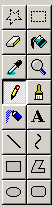
Then add a simple border around it. Simplest way to add a border in MS paint is to use round corner box with think coloured line and draw a box around the image. That will give a nice look to the image.

Finally save it as PNG or JPEG. Upload it to your next blog post and you will notice the difference.
1. Take the picture that you want to add to your blog post.
Normally I would use print screen to get most of the pictures for my blogs as they are related computers and internet. You can even use a simple digital camera to take some pictures. It is always interesting to add your own images rather than copying someone else images.
2. Remove the areas that you do not require
Then use simplest image editing tool (MS Paint or anything you familiar with) to remove the areas that are not relevant. With MS Paint, I will select only the area I need and paste it to a new file.
3. Add a simple but nice looking border

Then add a simple border around it. Simplest way to add a border in MS paint is to use round corner box with think coloured line and draw a box around the image. That will give a nice look to the image.

Finally save it as PNG or JPEG. Upload it to your next blog post and you will notice the difference.
Labels:
Blog,
Blogging Tips and Tricks
Thursday, April 1, 2010
reblog @BenLAng 10 Social Media Blogs
Head of Young Entrepreneur Blog, Ben Lang cam up with the top 10 Social Media Blogs that you should be following. I found it pretty interesting post and thought sharing with you if you haven't been to ben-lang.com
I was only following mashable and twitip but there 8 more great social media blogs listed.

I was only following mashable and twitip but there 8 more great social media blogs listed.

Labels:
Blog,
Social Media Blogs
Monday, February 8, 2010
Seriously make your blog load faster in 15 minutes
I was having cool chat with my blogging friend roezer at Blog HQ. Suddenly he drop me a link and small comment "This looks bad". It showed me a colorful diagram and it wasn't look that bad for me. After looking into the details I figure it out that it is the loading time for the blog. It took over 5seconds to load fully. Seriously, it looked really bad. This is how I made my blog load faster and you can do the same.
Here is the steps I followed and seriously if you want your blog to load fast you can follow the same.
1. Check your blog loading time with Pingdom Tools.
Copy and paste your URL and click Test now.

It will start testing your site and show the break down of your blog loading time.
If it is taking longer than couple of seconds then you need to make it load faster

If your site loads withing couple of seconds then you do not have to waste your time making it load faster. Yepppi!!!
2. Go through the list and figure out what components took time to load. In Pingdom Tools you can sort it by loading time and it will give you a better picture. Also, you can check the individual items by clicking on the links.
Back up your template and blog before going to step 3
3. Now you need to take some brave actions. Which I had to do. Most of the time we collect junk in our blogs. Add all the cool gadgets we come a cross and we do not remove them even if it doesn't perform.
Get rid of all the gadgets that you think that dose not help you.
Get rid of scripts that run behind unless they are really useful.
4. Optimize the images.

You can make your blog load faster by optimizing the images you use in the blog. Online Image Optimizer will be good tool to reduce the size of your image by 30% to 70% without affecting the quality of the image. You can choose the best image suite for your blog.
5. Now you can do the test again and you will be surprised with the results. I manage to reduce to loading time to 3 Seconds from 5 Seconds
There are some design issues you can fix to make your blog load faster but it takes time and money to redesign your blog. Until that you can follow this simple steps to make it load faster.
Here is the steps I followed and seriously if you want your blog to load fast you can follow the same.
1. Check your blog loading time with Pingdom Tools.
Copy and paste your URL and click Test now.

It will start testing your site and show the break down of your blog loading time.
If it is taking longer than couple of seconds then you need to make it load faster

If your site loads withing couple of seconds then you do not have to waste your time making it load faster. Yepppi!!!
2. Go through the list and figure out what components took time to load. In Pingdom Tools you can sort it by loading time and it will give you a better picture. Also, you can check the individual items by clicking on the links.
Back up your template and blog before going to step 3
3. Now you need to take some brave actions. Which I had to do. Most of the time we collect junk in our blogs. Add all the cool gadgets we come a cross and we do not remove them even if it doesn't perform.
Get rid of all the gadgets that you think that dose not help you.
Get rid of scripts that run behind unless they are really useful.
4. Optimize the images.

You can make your blog load faster by optimizing the images you use in the blog. Online Image Optimizer will be good tool to reduce the size of your image by 30% to 70% without affecting the quality of the image. You can choose the best image suite for your blog.
5. Now you can do the test again and you will be surprised with the results. I manage to reduce to loading time to 3 Seconds from 5 Seconds
There are some design issues you can fix to make your blog load faster but it takes time and money to redesign your blog. Until that you can follow this simple steps to make it load faster.
Labels:
Blog,
Blogging Tips and Tricks
Monday, November 30, 2009
Do not waste time use e.ggtimer
Are you wasting time doing nothing in front of the computer, but busy reading the news articles email and switching between windows? There are so many distraction that can easily keep you out of your productive work. How to avoid it and manage your time.
It is quite simple as always. You just need to use simple trick. TIMER. Yes timer that will indicate the time slots. So you can allocate each time slot (eg 10 minutes) to each task.
For example it will like this.
10 minutes - Read Email
10 minutes - Go through the News
10 minutes - Write a blog post.
10 minutes - Write a blog post.
10 minutes - Take a break.
10 minutes - Double check the blog post and publish.
You will be force to get things done is small time slots. So you know you do not have whole day to check email or news papers. Who is going to do the count down?

E.gg Timer is simple but effective tool that you can use. No, it is not a software that you need to download. It is a website where you can define a time and it will start count down and alert you when time expired.
Have a look and you might find more tricks using the E.gg Timer. Do not forget to share it with us. Ok e.ggtimer says my time expired for the blog post. I need to click the publish button.

It is quite simple as always. You just need to use simple trick. TIMER. Yes timer that will indicate the time slots. So you can allocate each time slot (eg 10 minutes) to each task.
For example it will like this.
10 minutes - Read Email
10 minutes - Go through the News
10 minutes - Write a blog post.
10 minutes - Write a blog post.
10 minutes - Take a break.
10 minutes - Double check the blog post and publish.
You will be force to get things done is small time slots. So you know you do not have whole day to check email or news papers. Who is going to do the count down?

E.gg Timer is simple but effective tool that you can use. No, it is not a software that you need to download. It is a website where you can define a time and it will start count down and alert you when time expired.
Have a look and you might find more tricks using the E.gg Timer. Do not forget to share it with us. Ok e.ggtimer says my time expired for the blog post. I need to click the publish button.

Wednesday, October 21, 2009
[Blogger Hack] How to add a Wider Image to Blogger
One of the best way to add a image to Blogger Blog background or to any other place in your template is to upload it to the Picasa Web Album and give the link in the blogger template. However, If you are trying to add a wider image (eg 900px width) for some reason you will not get the original width with the image when you add it to the blog.
Simples way to solve this problem is to add the image to the blogger header with the original size and after adding it go to your blog and refresh it to see the changes. Right click on the image and open Image with new tag or copy the image URL. Then copy that URL where you want to display the image and you can remove the header image and apply the correct image.
I am not exactly sure why Picasa is reducing the original width when the image width go beyond some limit but this little trick give a good solutions for that.
Simples way to solve this problem is to add the image to the blogger header with the original size and after adding it go to your blog and refresh it to see the changes. Right click on the image and open Image with new tag or copy the image URL. Then copy that URL where you want to display the image and you can remove the header image and apply the correct image.
I am not exactly sure why Picasa is reducing the original width when the image width go beyond some limit but this little trick give a good solutions for that.
Monday, October 19, 2009
[Blogger Hacks] Different look for Home Page and Post Page
It is some times quite nice to have two different layouts for your blogger blog home page and post page. Main reason behind it is to highlight the post content more in the post page and give a general overview of your blog in the home page. It will definitely increase the reader ship of your blog.
Default Blogger templates dose not follow this kind of layout. It is pretty much running the same template for the home page as well as for the post page. But it is quite possible to do a pretty decent two different layout for home page and post page.
As you know CSS will come in handy in this process and you need to have a little idea about how CSS is working and get things done in CSS in order to make it work. Only reason why I am telling this is that from CSS you can control the layout as you want and it totally depends on the layout you want to have. I can alway help in that case if you tell me what exactly you want to achieve. If you feel bit lazy you can find so many advanced template in blogger template sites.
Let have a look how we going to control the Blogger blog layout. Before you start make sure that current template is backed up and keep it in a safe place.
There is a HTML code that you can use to check whether you are in a blogger blog post page or different page.
That is
This will only apply the code inside this tag when you are not in blogger post page. That means when you are in your home page it applies the code inside this if condition.
Best part is you can apply the same condition for the style sheet of your blog. That mean you can have two different style sheet for your blog. One will apply when you are in home page and the other one applies when you are in the blogger post page.
Following is a sample CSS with the conditions.
This CSS will control your blog template as follows. In the homepage it will make your posts width to 380px and when you go to post it will be 780px. Also when you are in the home page it will not show you the labels, author or the backlinks option. But it all will be there in the post page.
This is just a sample and you can do many things base on your imagination. So if you need any help I would love to help you getting your blog cool. Leave comment or use the contact me form to drop a message.
Default Blogger templates dose not follow this kind of layout. It is pretty much running the same template for the home page as well as for the post page. But it is quite possible to do a pretty decent two different layout for home page and post page.
As you know CSS will come in handy in this process and you need to have a little idea about how CSS is working and get things done in CSS in order to make it work. Only reason why I am telling this is that from CSS you can control the layout as you want and it totally depends on the layout you want to have. I can alway help in that case if you tell me what exactly you want to achieve. If you feel bit lazy you can find so many advanced template in blogger template sites.
Let have a look how we going to control the Blogger blog layout. Before you start make sure that current template is backed up and keep it in a safe place.
There is a HTML code that you can use to check whether you are in a blogger blog post page or different page.
That is
<b:if cond='data:blog.pageType != "item"'>
This will only apply the code inside this tag when you are not in blogger post page. That means when you are in your home page it applies the code inside this if condition.
Best part is you can apply the same condition for the style sheet of your blog. That mean you can have two different style sheet for your blog. One will apply when you are in home page and the other one applies when you are in the blogger post page.
Following is a sample CSS with the conditions.
#main-wrapper {
width:780px;
float: $startSide;
}
<b:if cond='data:blog.pageType != "item"'>
<style>
#main-wrapper {
width:380px;
float: $startSide;
}
.post-labels{display:none;}.post-author{display:none;}
.post-backlinks{display:none}
.post-body{padding:0px;}
</style>
</b:if>
This CSS will control your blog template as follows. In the homepage it will make your posts width to 380px and when you go to post it will be 780px. Also when you are in the home page it will not show you the labels, author or the backlinks option. But it all will be there in the post page.
This is just a sample and you can do many things base on your imagination. So if you need any help I would love to help you getting your blog cool. Leave comment or use the contact me form to drop a message.
Monday, September 28, 2009
Vote for Best Geek Blog
Crazzycool blog has been nominated for best geek blog and please take time to give your vote to our blog.

If you have an interesting blog then why don't you submit your blog and drop your link here. We can give you an vote. Thank you for your time and votes for Crazzycool.
If you have an interesting blog then why don't you submit your blog and drop your link here. We can give you an vote. Thank you for your time and votes for Crazzycool.
Labels:
Blog,
CrazzyCool
Sunday, September 13, 2009
Want to see you blog post in news sites
This is something I have found accidentally and more than hearing my side of the story you would prefer to know how you can put your blog post in 100 top tire news and media sites including reuters, McGraw-Hill USA Today, FoxNews, Gannett, Internet Broadcasting and many more... My favorite is Computer shopper
So is it creating quality content? Unique blog posts? I know these does not sounds good for you. Yes this might help you in some what but it is not they way I am talking about. More simpler and easier way to so.
Submitting your blog to this special directory will do the job for you. You do not have to talk to individual news sites to get your post published.
What is this special blog directory?
There is a time in each blogger that start submitting to hundreds and thousands of blog directories that you come cross. This is some thing I have done at that time and my blog got approved and start getting publishing my blog posts in actual news sites.
Only thing you have to do is submit your blog to blogburst. If you have already done it and if you are not aware that your posts are already in news and media sites log back to the blogburs and check them out.
Like in most of the blog directories your blog need to meet their minimum requirements and it need to get approved. Even though the site says invitation only you can submit your site and get it approved without a invitation. (I haven't seen ant invitation so far)
Good Luck!

So is it creating quality content? Unique blog posts? I know these does not sounds good for you. Yes this might help you in some what but it is not they way I am talking about. More simpler and easier way to so.
Submitting your blog to this special directory will do the job for you. You do not have to talk to individual news sites to get your post published.
What is this special blog directory?
There is a time in each blogger that start submitting to hundreds and thousands of blog directories that you come cross. This is some thing I have done at that time and my blog got approved and start getting publishing my blog posts in actual news sites.
Only thing you have to do is submit your blog to blogburst. If you have already done it and if you are not aware that your posts are already in news and media sites log back to the blogburs and check them out.
Like in most of the blog directories your blog need to meet their minimum requirements and it need to get approved. Even though the site says invitation only you can submit your site and get it approved without a invitation. (I haven't seen ant invitation so far)
Good Luck!
Labels:
Blog,
Directories,
Hacks,
Publishing,
Web directory
Monday, July 20, 2009
Google AdSense ads In the middle of Blogger Post
When you place Google Adsense Ads in the middle of the blog posts you have to be little careful that not to confuse the reader. Google does not stop webmasters or bloggers using Ads in the middle of the post or just after the Title. What Adsense Blog says is...
Ads shouldn't be placed under a title or section heading in a way that implies that the ads are not ads.
Previously we have gone through a simple way to add Google AdSense Ads in the middle of the post just after the title using CSS and DIV tags. If you want to change it a little bit and display the ads after couple of lines of the post you can apply this simple CSS and DIV tag.
First of all back up your blogger template as a good practice and please do not blame me if you did not back up. You can read the previous post to get a idea about Google Ads in the middle in details as we more focus on putting couple of lines before the Google Ads.
After backing up your blogger template enable Google Ads to display after each posts.
Search for post-body entry-content (Google chrome and FireFox 3.5 support searching text inside the text box)
 Copy the following code between..post-body entry-content and data:post.body div tags (Third red box in the picture.
Isn't it simple and you can change the height of first div tag under styles to changes number of lines before the Google AdSense Ads.
If you have any problems or comments you are always welcome to share it with us. We will try to help you as much as we can.
Ads shouldn't be placed under a title or section heading in a way that implies that the ads are not ads.
Previously we have gone through a simple way to add Google AdSense Ads in the middle of the post just after the title using CSS and DIV tags. If you want to change it a little bit and display the ads after couple of lines of the post you can apply this simple CSS and DIV tag.
First of all back up your blogger template as a good practice and please do not blame me if you did not back up. You can read the previous post to get a idea about Google Ads in the middle in details as we more focus on putting couple of lines before the Google Ads.
After backing up your blogger template enable Google Ads to display after each posts.
Search for post-body entry-content (Google chrome and FireFox 3.5 support searching text inside the text box)
Copy the following code between..post-body entry-content and data:post.body div tags (Third red box in the picture.
<!--Add the lines before the Google Ads-->
<!--Change height 20px base on the number of lines you want to change-->
<div style='background-color: transparent; float: left; width: 1px; height: 50px; overflow: hidden;' />
<div style='clear:both; float:left; margin-right:5px; margin-top: 5px;'>
<!--Ads will display only in Post page not in home page-->
<b:if cond='data:blog.pageType == "item"'>
<b:if cond='data:post.includeAd'>
<data:adEnd/>
<data:adCode/>
<data:adStart/>
</b:if>
</b:if>
</div>
Isn't it simple and you can change the height of first div tag under styles to changes number of lines before the Google AdSense Ads.
If you have any problems or comments you are always welcome to share it with us. We will try to help you as much as we can.
Labels:
AdSense,
Blog,
Blogger,
Blogging Tips and Tricks
Monday, July 13, 2009
Lets talk about loadedweb.com
Recently I have come cross an interesting blog catalogue and had a great chance to have a small discussion about this cool blog directory loadedweb.com. In couple of words I would say simple interactive free blog catalogue base on geographical locations.
What are the main services that loadedweb.com provide?
Right now we are focusing on the local community,
and we are doing this through blogs and twitter for now.
There are so many blog directories. How is loadedweb.com different from other web/blog directories?
In purely technical terms, all other blog directories organize blogs by category.
Loadedweb lists blogs by geography. This also allows blogger to find other blogger in their communities.
What are the main services that loadedweb.com provide?
Right now we are focusing on the local community,
and we are doing this through blogs and twitter for now.
How loaded web can help new bloggers or professional blogger out there?
Through various mechanisms (dofollow links, indexing posts, etc.) we send traffic to blogs.
You can take a look at our stats here:
Loaded web is one of the simplest blog directories I have come cross. Registration page took me less than 30s I guess. Was it a challenge to design really simple interface while providing and gathering all the information required..
No not really. We just constantly had to remind ourselves to keep things simple.
Often we would come up with a design and throw it out because it didn’t pass the “simplicity test.”
What are the future plans with loadedweb.com?
We have a lot of ideas, mostly with regards to local data. But we wouldn’t want to give away anything yet, would we?
If you are a blogger looking for a cool blog directory why don't you try loadedweb.com and do not forget to share your ideas.
Labels:
Blog
Tuesday, May 26, 2009
Must use 3 keyword tools
Knowing the best keywords to be used in your website is one of the major plus point in search engine optimisation (SEO). Selecting a best trustworthy keyword tool is important. If your keyword tool provide wrong or out of date information about the keywords your website might suffer a lot. It will be a waste of time and money.
Google is the biggest player in search engine game and the information given out can be trusted as well. These 3 keyword tools are provided by Google. These three keyword tools cover different areas and can be used in different situations.
# Category search - Over 23 Categories and you can figure out what are the most searched key words for a category such as Computers & Electronics, Entertainment, etc. This might be really useful if you are planning to start a blog.
# Seasonality - You can check which key words are been searched most during a given period of time. For example you can check what are the best keywords to be used during Christmas.
# Geographic distributions - If you are interested in knowing what are the best keywords to be used in your country you can look into that as well.
# Properties - Classic example for this is New York Christmas shopping, 2008. This query will return what New York people searched during the 2008 Christmas time.
#2 Search-Based Keyword tool
This is a simple keyword tool that will help you to analyse the keywords that suits for your website or blog for the AdWords. However, that will give you a general idea about how those keywords can perform and the composition for that key word.
When you enter the website and the keywords you would like to optimise your site for search-based keyword tool will pick up the keywords related to your blog and keywords related your word or phrase. In addition it will show the monthly searches, composition and suggested bid if you are interested in AdWords campaigns.
This is one of the famous, old keyword tool among webmasters and blogmasters. Even though it is targeted on the AdWords you can always use it to have a general idea about the keyword popularity and the composition.
Out of these three my favorite keyword tool is Google insights for search. It is quite flexible and full options and pretty much cover every possible view you would like to know.
Other keywords tools
Google Trends for Websites Pretty basic but You can check what keywords mostly worked for a given website.
Google Trends in general you can see the trend for a given keyword or keyword collection.
What is your favorite keyword tool? Are you using any other keyword tool that really works and can be trusted? Share it with us in the comments.
Labels:
Blog,
Google WebTools,
Website
Monday, April 13, 2009
Blogger Template Hacks - Change the colours and fonts easily
As I mentioned in the previous post I was going through the blogger blog templates to do some changes. This is something I have notice in the templates.
This hack will be useful to people who create Blogger templates. This will provide people who use your blog template user friendly way to change font, font colours and background colours as they want without accessing the HTML code.
After log in to Blogger account, under the Layout tab Font and Colours will provide you a easy interface to change font, font colour and background colour. When you create a template you can provide as many areas as you want.

How to add new property to the list.
This is a quite simple process and you just need to change CSS and add a new variable to the template as you required.
For example I am going to add background colour variable to column-wrapper(Side bar). Next time I will be able to select a different colour to my side bar without going to Edit HTML or figuring out the hex decimal code for the colour.
1. Go to Layout and then go to Edit Html.
2. Find the CSS for the column-wrapper.
3. Add the following line inside the column-wrapper.
background-color:$coloumnwrapperbgcolour;
background-color:$coloumnwrapperbgcolour;

background-color: is the CSS property for background.
$coloumnwrapperbgcolour; is the variable we will going to define next.
4. Scroll up until you find the place it defined the variables. Normally you can find it top of the page. Add the following line
<Variable name="coloumnwrapperbgcolour" description="Column Rapper Bg Colour"
type="color" default="#fff" value="#35556a">
Variable name should be same as the variable used in step 3
description you need provide a unique description to each variable you define. It need to be something you would understand later as this is going to be display in the list.
type in this case type will be color. If the variable is about font type would be font.
5. Click Save template. After it successfully updated go to Fonts and Colours.

Now you can easily update the Custom Blogger Bg Colour by just couple of clicks. You can apply it to other CSS properties you would think will be help.
Labels:
Blog,
Blogger,
Blogging Tips and Tricks,
Cool
Sunday, April 12, 2009
[Trick] Promote your Blog via GMail
This is simple trick to promote your website or blog using one of GMail Lab features. If you have a website or blog I am pretty sure you are using a link to your blog or website.
Tip: It is always effective to send out different links with your email to your Friends as they wont be boring seeing the same link all the time.
Lets see how we can add a link to a random post from your blog or website to your email signature
Gmail Lab Feature: Random Signature, Signature tweaks
*Log in to your GMail account.
*Go to the Gmail Lab Page.
*Find the Random Signature and Signature tweaks.
*Enable both labs.
*Click Save Changes and Gmail will reload.
*Go to Settings
*Go to General
*Under signature select the signature box and type you name and other information you would like to display in your email.
*Then check the check box Append a random signature from feed and add the feed URL to your blog or website.
* click "Save Changes"
This is add random links to your post with the title from your RSS feed. Simple but quite effective method to add a random link to your signature from your blog or web
Wednesday, April 8, 2009
Real time Vs Non-real time web statistics
If you are running a website or blog web statistics play a big role measuring your success as well as planing the future of your blog or website. Most of the cases you might like to see the real time statics of your website. That is quite natural even though it can waste lot of your valuable time.
This problem can be solved by two simple web statistic programs. Non-real time web statics can easily tracked and analyse from Google Analytics. I do not have to describe more about it as there are lot of good tutorials as well as it is quite simple and easy to use tool for anyone.
When it come to real time we statistics only thing you need to know is how many users are using your website at any given time. Also it would be great to know which page they are in and where are they coming from. These statistics can be easily display on you website by using whosread.com Click on get you own counter and insert it in to your website or blog and it will start showing the real time statistics when ever you go to your website.

In that way check real-time statistics without wasting time. You can detect the sudden changes by using whosread.com and analyse the statistics by using the Google Analytics.
Saturday, March 28, 2009
[Adsense] Make Money With Adsense
 If you are a blogger user you might have already notice that there are some changes in the dashboard. New link is added called Monetize.
Link Monetize will take you to a page where you can easily place AdSense Ads on your blog according to three predefine templates. Isn't that easy?

If you are quite new to blogger or AdSense you can use Google recommendation and see how much you can earn from Google AdSense. Still you have flexibility to change your template as you want. What do you think about this new feature.
Subscribe to:
Posts (Atom)
